0.9
A huge visual rework: white pages and cleaner type, a note list with previews and photos, a new New tab, and the same look on iPhone.
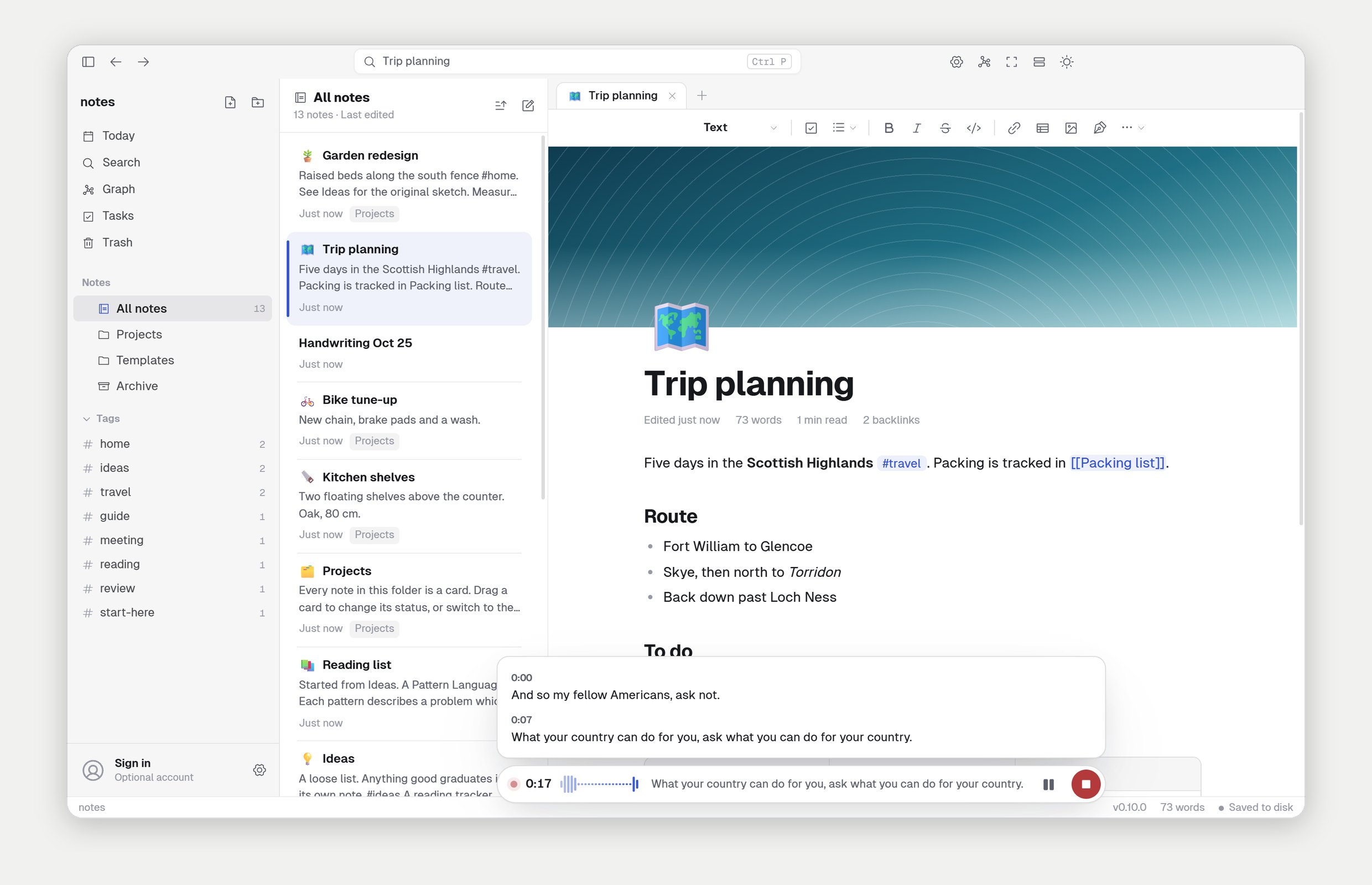
The biggest update yet. Feather listens to lectures and meetings and turns them into notes, in any language. Write by hand with an Apple Pencil, plan your tasks on a board, pick a theme, and format with a toolbar. Your notes are still plain files, exactly where you left them.
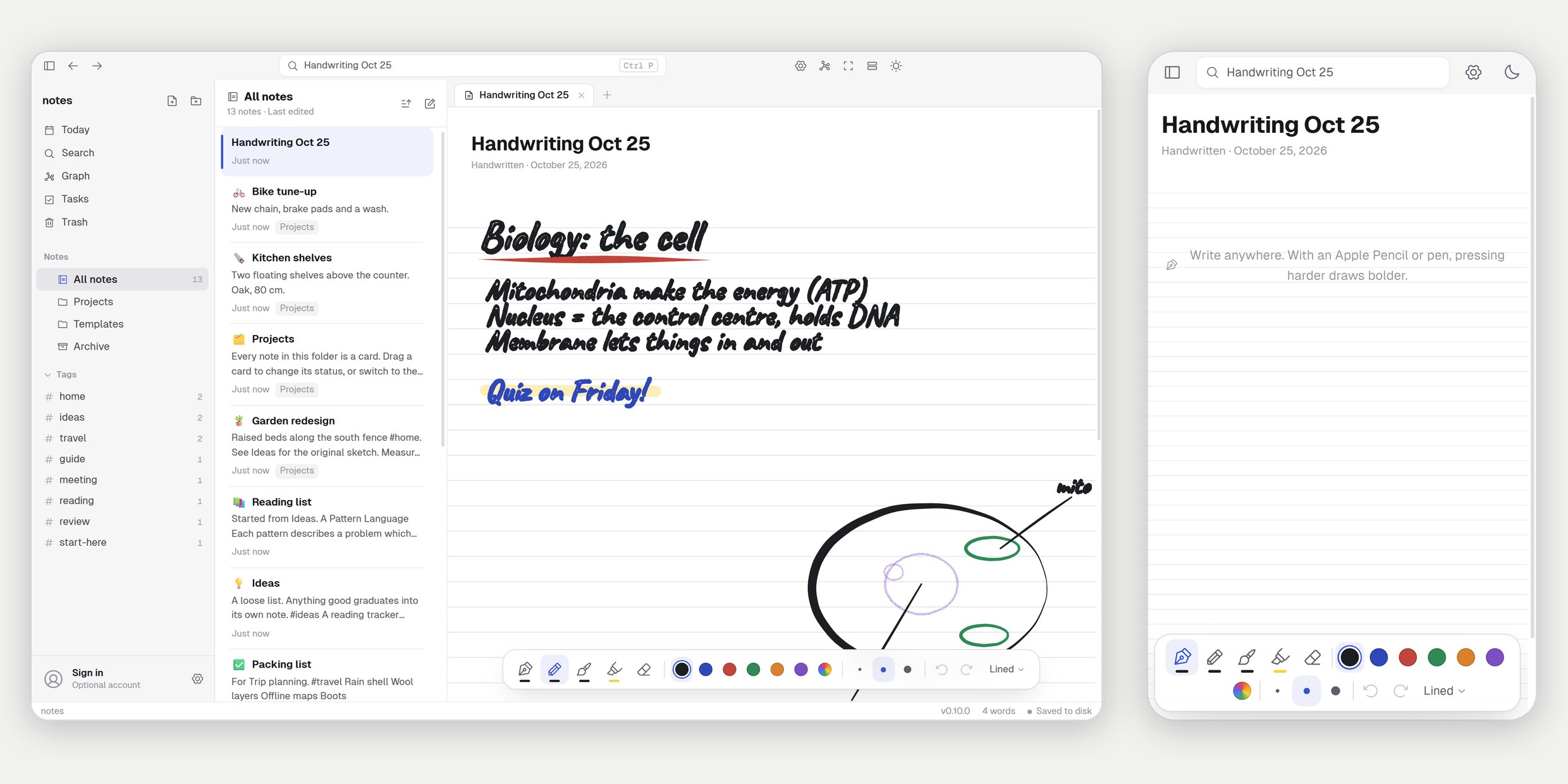
A handwritten note is the whole page, like a notebook. A pen, a pencil, a brush and a highlighter that feel how hard you press with an Apple Pencil or any pen, in any colour and three widths. Erase, undo, redo, and choose lined, grid, dotted or blank paper. With a pen, only the pen draws: your finger scrolls and a resting palm is ignored.
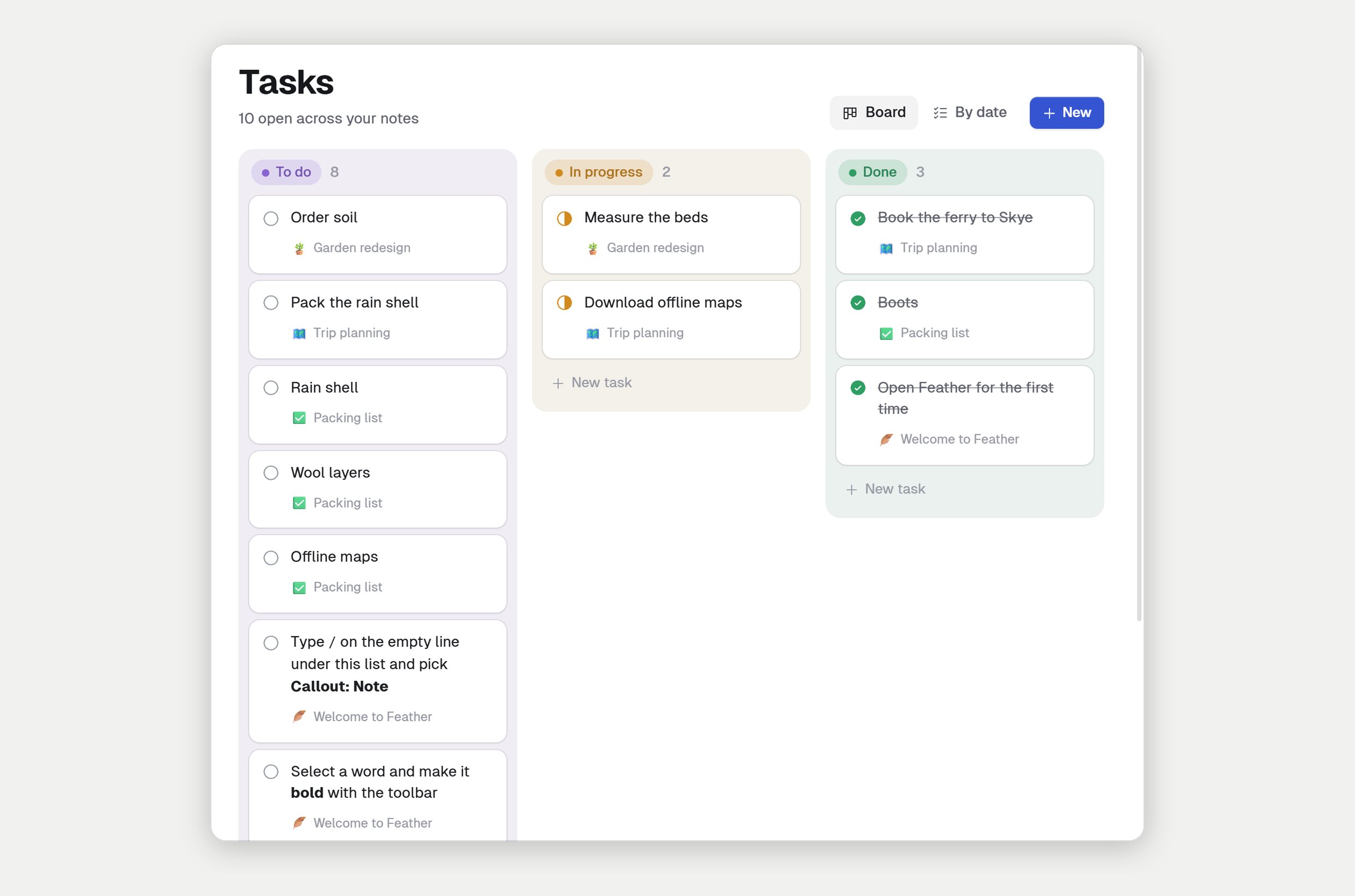
Every to-do in every note, in one place: on a board (To do, In progress, Done) or by when it's due. Drag a card across or tap its status, add tasks right on the board, and give them due dates and reminders. Dates are written into the note the way other Markdown apps write them, so they travel with your notes.
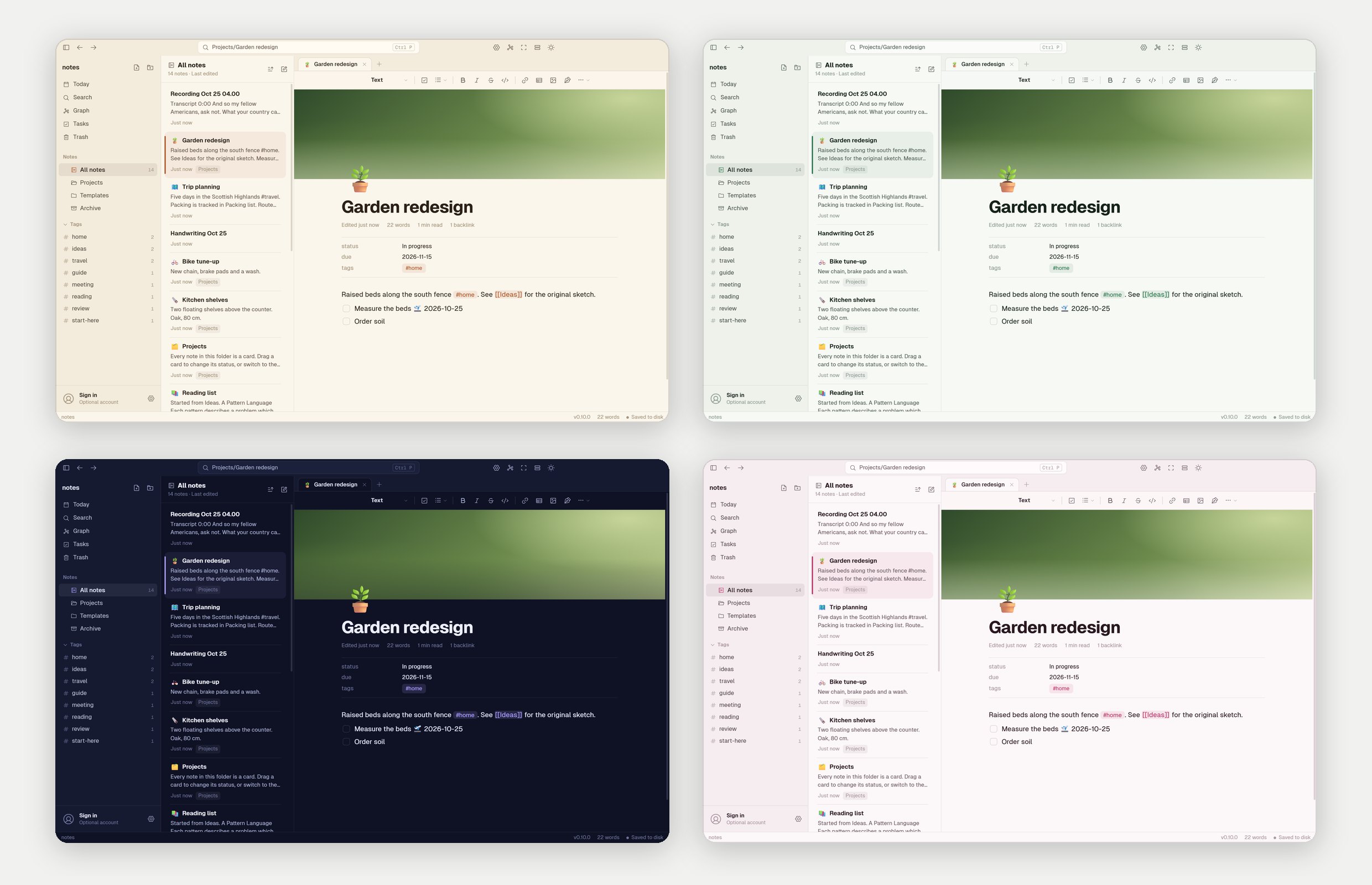
Six themes made by us in Settings, Themes: Sepia, Forest, Fjord, Midnight, Rose and Graphite, each in light and dark. And a formatting toolbar along the top of every note, for headings, to-dos, lists, links, tables, pictures and handwriting. Markdown and / work just as before.
Download Feather 0.10 Already have Feather? It updates itself.
A huge visual rework: white pages and cleaner type, a note list with previews and photos, a new New tab, and the same look on iPhone.
Device sync no longer crashes on a Mac. Quick capture and Settings, Updates show Feather's own logo.
A first redesign: the account sheet pops out, Settings in groups, and more icons for your notes, plus pictures of your own.
Two-step sign-in with a code by email, and deleting your account with 30 days to change your mind.
Optional Feather accounts, with sign-in emails from feathernotes.app.